
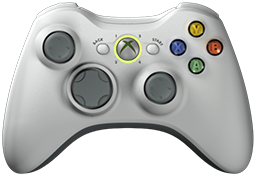
 x360ce v4.24.60.0 is released. Xbox 360 Controller Emulator (a wrapper library that translates the xinput calls to directinput calls) which allows your controller (GamePad, Joystick, Wheel, ...) to function like an Xbox 360 controller on a Windows PC. For example it allows you to play Grand Theft Auto (GTA) game with Logitech wheel.
x360ce Changelog:
Fixed: Virtual controllers were not created after Windows ran 25 days.
Fixed: Centering spring Auto never finished after Windows ran 25 days (Issue #1639, emreyagdan64-prog).
Fixed: Inverted buttons were pressed while held instead of while released.
Fixed: Button 128 and POV 4 Left could not be mapped.
Fixed: A switch mapped to a button could flicker on and off.
Fixed: Importing or exporting games settings could show an error report.
Fixed: Scanning for games could close the program.
Fixed: Error reports from released versions were marked as test builds.
Fixed: The game settings panel could show an error report after it closed.
Fixed: Installing, repairing or removing the virtual driver failed when a file was in use.
Fixed: A controller that could not be opened could slow the program down.
Fixed: Buttons and force feedback could follow another game's settings (Issue #1639, emreyagdan64-prog).
Fixed: A virtual controller that stopped taking input was not put back.
Fixed: A virtual controller whose vibration the driver refused did not work.
Fixed: The guide button could be let go by another controller.
Fixed: The XInput view could show an error report.
Fixed: The controller picture could turn into a red cross.
Fixed: Putting controllers in order could hang when XInput stopped answering.
Fixed: A virtual controller the driver would not remove was not made again.
Fixed: Mapping a POV direction from the menu could map the whole POV.
Fixed: A mouse mapped to a stick started at one end, not the middle.
Fixed: A controller given vibration could keep vibrating after Repair or reorder.
Fixed: A controller that Windows put in the wrong place was made again every few seconds.
Fixed: Reordering stopped part way when a virtual controller left behind by another run was listed.
Fixed: Putting controllers in order left controllers in the wrong XInput places.
Fixed: A question with its own button wording, such as the settings folder one, showed Yes, No and Cancel.
Fixed: The Devices page listed a virtual controller left behind by another run twice, with no place.
Fixed: The Devices page left the place blank for a real controller whose place was not known.
Fixed: Remove Leftover Pads could miss a virtual controller left behind, or leave part of one.
Fixed: An unticked device was still read, held, hidden and sent force feedback.
Fixed: A rumble sent just before a controller was taken away could come back.
Fixed: A pad that refused a force feedback effect piled up old effects (Issue #1633, KhaledElSaiad).
Fixed: A device whose force feedback kept failing could slow the program down.
Fixed: The minimum instances box on the Internet page did not save its value.
Fixed: Putting controllers in order left an Xbox One controller dead until it was replugged.
Fixed: Putting controllers in order could leave a controller switched off, and a stored mark that hid it for good.
Fixed: A controller left switched off by an interrupted reorder was reported as switched back on.
Fixed: The General tab input list did not scroll to its last buttons.
Fixed: General tab mapping boxes cut off text such as POV 1 Down.
Changed: Installs and links the latest Visual C++ v14 Redistributable.
Changed: Installing Visual C++ from the Issues tab says what happened.
Changed: A controller tab whose place is taken says what is holding it.
Changed: The AI assistant can keep a device on several controller tabs.
Changed: The question about a device already on another controller asks Move or Copy, in bold.
Added: Issues tab reports a virtual driver that is installed but not working.
Added: A hint when a game may see the controller twice.
Added: Recording a switch onto a button says which position presses it.
Added: Invert in the mapping menu turns a button, axis or slider around.
Added: Help and a preset for flying with an RC transmitter.
Added: A device can drive up to four controllers at once (Issue #1265, cuteexe).
Added: A device on several tabs takes force feedback from one or more of them (Issue #1265, cuteexe).
Added: The Force Feedback page names the other controllers a device is on (Issue #1265, cuteexe).
Added: The Issues tab says when a controller this program switched off is still off.
Added: Help example for rounding the corners of a stick (Issue #1347, 2mg).
Download: x360ce v4.24.60.0
Source: Here
0 Comments
Post a Comment