
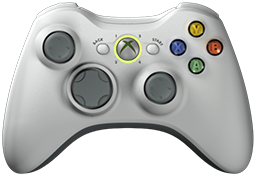
 x360ce v4.25.67.0 is released. Xbox 360 Controller Emulator (a wrapper library that translates the xinput calls to directinput calls) which allows your controller (GamePad, Joystick, Wheel, ...) to function like an Xbox 360 controller on a Windows PC. For example it allows you to play Grand Theft Auto (GTA) game with Logitech wheel.
x360ce Changelog:
Fixed: The update log ran past the bottom of the Options page.
Fixed: Update did not check the downloaded zip against the SHA-256 GitHub publishes for it.
Fixed: The /Settings switch opened folders other than the one the settings are kept in.
Fixed: A controller going away could show an error report.
Fixed: Closing the program could show an error report.
Fixed: Sorting the games list while it was filtered could show an error report.
Fixed: Unhide All Devices showed an error report instead of asking for an administrator.
Fixed: A damaged virtual bus library file stopped virtual controllers until it was deleted.
Fixed: A network change could show an error report.
Fixed: Recording a direction on POV 2, 3 or 4 recorded nothing.
Fixed: The Force Feedback page did not say why the centering spring did nothing (Issue #1639, emreyagdan64-prog).
Fixed: A diagonal on a POV lit neither of its directions in the Source panel.
Fixed: AI assistants read blank settings on controller tabs not yet opened.
Fixed: AI tools silently ignored arguments they do not take.
Fixed: Wheel help pointed at a page most games do not show.
Fixed: /ExportUi put a relative folder beside the program.
Fixed: A command-line call, such as /Exit, replaced the record that speeds up the next start.
Fixed: Reading the device list leaked a little memory each time.
Fixed: Some devices, such as the Logitech G13, vanished from the device list.
Fixed: AI assistants could not tick boxes in lists.
Fixed: An AI assistant's press waited until its question was answered.
Fixed: The program left an empty x360ce folder beside itself.
Fixed: A /Profile start kept its start-up record in the shared folder.
Fixed: AI assistants could read the AI access token.
Fixed: AI assistants could change greyed-out settings.
Fixed: /Ai and /Mcp did not reach a copy started with /Profile.
Fixed: AI assistants could not read or write a mapping formula.
Fixed: /ExportUi opened AI assistant access and saved the settings.
Fixed: The round-corner formula example for Stick Y turned up into down on most devices.
Fixed: Force feedback did nothing after its device was removed from a controller and added again.
Fixed: Settings downloaded on the Settings tab lost the pad settings they came with.
Removed: The Register with Windows box of AI assistant access.
Changed: The Source panel lights an axis or slider while it moves, so pedals at rest stay dark.
Changed: Sharper controller pictures and button glyphs.
Changed: The window title shows 64-bit or 32-bit.
Changed: Sharp text and icons on screens set above 100%.
Changed: Pastel icons, drawn for every screen zoom, with dark versions for the dark theme.
Changed: In the light theme, the tabs not chosen have dimmer text.
Changed: AI assistant access has its own AI page in Options.
Changed: AI search takes several words and lists best matches first.
Changed: Device lists show a controller waiting for its XInput place.
Changed: Quick presses, hat taps and stick flicks are never missed.
Changed: The AI door refuses web pages and explains its refusals.
Changed: The AI skill tells an assistant to use only the program's door, never the screen.
Changed: The centering spring pulls like a car's steering (Issue #1643, Rusty-Gere).
Changed: The Wheel settings have their own tab, with a chart of the force at every angle.
Added: Light and dark themes; System follows Windows.
Added: Developer Tools buttons that open each kind of message window, to test them.
Added: [Recentre] in a mapping box's menu sets where a stick rests as its middle (Issue #1638, FlogramMatt).
Added: Help on the command-line switches and on games with anti-cheat.
Added: A note over the game when a device it uses disconnects or connects again.
Added: The AI page installs the x360ce skill for AI agents.
Added: x360ce.exe /Skill prints that skill; /? prints the switches.
Added: AI assistants can walk the person to a setting, one tab at a time.
Added: Raw Input devices, which read an Xbox One controller in the background.
Added: Logitech G13 stick and keys, without Logitech's software.
Added: AI assistants can log every press and movement.
Added: An AI assistant's highlight can stay until you act.
Added: Trust local connections option for AI assistant access, off by default.
Added: The AI page shows an example request, with a Copy button.
Added: AI assistants can find a controller by its maker.
Download: x360ce v4.25.67.0
Source: Here
0 Comments
Post a Comment