

 NewsLetter
 Bookmark
 Submit News
 Email Us
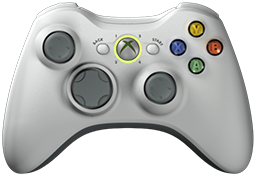 x360ce v4.23.59.0 is released. Xbox 360 Controller Emulator (a wrapper library that translates the xinput calls to directinput calls) which allows your controller (GamePad, Joystick, Wheel, ...) to function like an Xbox 360 controller on a Windows PC. For example it allows you to play Grand Theft Auto (GTA) game with Logitech wheel.
x360ce Changelog:
Fixed: Online presets lost the wheel and centering spring settings.
Fixed: Searching the online database with no devices reported a server error.
Fixed: Online settings could be listed twice, each with part of its users.
Fixed: The same settings could be stored twice on computers set to some languages.
Fixed: Changing the game while a virtual controller was connecting could close the program.
Fixed: Long sessions ran out of system handles.
Fixed: Reloading the XInput library showed a reset error when nothing had failed.
Fixed: Options showed the default web service address instead of the saved one.
Fixed: Buttons tab sliders were shifted right and cut off.
Fixed: The XInput column did not widen for a device reaching several places.
Fixed: Load Preset could leave "Load Selected Preset" off, or close without loading.
Fixed: Saving a preset into a protected game folder closed the program.
Fixed: One unreadable file or folder stopped the game scan.
Fixed: Removing a device while the Devices list was drawn could close the program.
Fixed: Pressing a key while recording could press a button on the page (Issue #1271, DXSECN).
Fixed: Adding a second game with the same file name replaced the first (Issue #1093, alkalifly).
Fixed: A device being unplugged mid-read was reported as a fault.
Fixed: A missing error reports folder was reported as a fault.
Fixed: Opening the program again while it was closing could end it with a fault.
Fixed: The centering spring swung through the centre and chattered under a hand at high strength.
Fixed: A device known from an earlier run showed no vendor name or id.
Fixed: A pad vibrated one motor only, or stopped after reconnecting (Issue #1633, KhaledElSaiad).
Fixed: A sawtooth effect closed the program on pads with the USB Vibration driver (Issue #1634, mahaman626).
Fixed: The AI assistant access Copy buttons could close the program while another program held the clipboard.
Fixed: Closing the program while a virtual controller was being connected could leave it plugged in until Windows restarted.
Fixed: Each Map Device window went on handling every device change after it was closed.
Fixed: The /Exit switch did not close a copy running with Allow Only One Copy off.
Fixed: Percentage sliders did not say what 100 stands for, so an assistant could not set them.
Fixed: Sorting the games list while it showed only enabled or disabled games could close the program.
Fixed: Save closed the program when Windows refused a settings file; it now offers to retry or use your own folder.
Fixed: With virtual controllers on, every device plugged in or removed left system handles open until the program closed.
Fixed: Set to 1000 Hz, the controllers were polled only about 950 times a second.
Fixed: On a computer with many old virtual controller records, the controller pages took seconds to appear at start.
Fixed: Loading a preset could empty a mapping, such as the B button or the D-Pad.
Fixed: Presets made for older versions had their sticks and D-Pad read as buttons.
Fixed: A preset pasted and copied again came back changed, under another checksum.
Fixed: Settings a preset left out ran at nought, not at the defaults the page shows, such as button dead zones and motor periods.
Fixed: An axis-to-button dead zone set to 0 came back as the default, 8192.
Fixed: A real controller in XInput 1 pushed every virtual controller one place along.
Fixed: Putting controllers in order asked for Administrator twice.
Changed: A mapping formula can be up to 128 characters.
Changed: Centering spring Auto checks that its strength holds the wheel before setting it.
Changed: Motor periods follow the measured Xbox motors, 160 ms left and 64 ms right by default; mappings still on the old pair are updated.
Changed: The period played follows the force, as a real motor slows when driven less.
Changed: XInput Devices rows carry their own up and down arrows.
Changed: A device added to a controller is selected, ready to set up.
Changed: Online settings are reached over HTTPS.
Added: Motor Periods presets for wheels, an info button about the motors, and a Defaults button on the Force Feedback page.
Added: Options has a Test button for the web service address.
Added: The Issues tab names force feedback a device refused or plays differently.
Added: Map Device can list system devices, such as the Logitech G13 (Issue #1211, bredita).
Added: An AI assistant can read and answer the windows that open over the main one.
Added: Copy Preset copies as YAML, with XML and JSON under its arrow, also on the Load Preset window; Paste Preset reads all three.
Download: x360ce v4.23.59.0
Source: Here
2026-09-27
Tags:
Console,
Official_Build,
x360ce,
XBox


 Posts
Posts



Random Related Topic
0 Comments
Post a Comment
Can't post a comment? Try This!