

 NewsLetter
 Bookmark
 Submit News
 Email Us
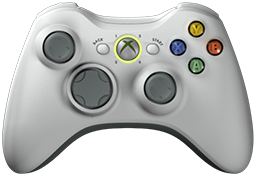 x360ce v4.27.53.0 is released. Xbox 360 Controller Emulator (a wrapper library that translates the xinput calls to directinput calls) which allows your controller (GamePad, Joystick, Wheel, ...) to function like an Xbox 360 controller on a Windows PC. For example it allows you to play Grand Theft Auto (GTA) game with Logitech wheel.
x360ce Changelog:
Fixed: A Logitech wheel left at its own range shook at its centre with the centering spring on.
Fixed: F3 in the Mapped devices, Devices or Games list stopped x360ce with an error.
Fixed: The window stayed frozen for seconds while it opened; it now opens complete and about twice as fast.
Fixed: Pages flickered and changed their look while the window opened or the theme changed.
Fixed: Drop-down lists on Controller 1 grew taller at every theme change and sat lower than the boxes beside them.
Fixed: Letters such as g and y were cut off at the bottom of text boxes and lists.
Fixed: Number boxes left a gap inside their frame and were too narrow for their largest values.
Fixed: Sliders were cut off, and sliders and progress bars stayed light in the dark theme.
Fixed: Check boxes were oversized, in lists too; they are now sized from the font.
Fixed: Tool bar buttons had no room at their sides, and the controller page's grew larger than the header's.
Fixed: Some lists and tool bars ignored the theme, and Direct Input's lists had white footers.
Fixed: An open drop-down list cut off items longer than the box.
Fixed: The stick charts drew an output of 0 off the centre.
Fixed: The fx box showed a white field, a black line and a stray 0.
Fixed: Controls overlapped on the Games page and on the Virtual Device, HID Guardian and Settings pages.
Fixed: Spacing was uneven between pages, groups, tool bars and buttons; every page now uses one spacing.
Fixed: The AI page could stop with "Parameter is not valid" when its font was set again.
Fixed: The header said "Help Subject" at start-up.
Fixed: Minimizing to the tray and back could stop x360ce with an error; the window is now hidden there, not built again.
Fixed: AI assistants read lists and descriptions without their & signs, so a device's ID came out wrong.
Removed: Hiding devices through HID Guardian; HID Hide does it.
Changed: Create uses the tunnel made earlier for this computer instead of making another.
Changed: AI assistant access uses port 37101 by default.
Changed: New AI access tokens start with sk-x360ce-mcp-.
Changed: The Add list sorts devices by source and offers plugin devices.
Changed: Plugin devices that come with x360ce name x360ce as their maker.
Changed: Ticking Centering spring with Wheel range left as it is picks 900°.
Changed: Every control looks as it does in x360ce 5, in both themes; disabled ones are faded.
Changed: The mapping menu groups more than 20 buttons by tens: Button x, Button 1x and so on.
Changed: "Click Here to Apply Preset" is an Apply Preset list, with a new 1 % dead zone, 100 % anti-dead zone preset.
Changed: Charts and the fx square have rounded boxes with a light grey frame.
Changed: Direct Input shows the pressed buttons in a box instead of a list.
Changed: Controller pages that are not shown refresh once a second.
Changed: On the Remote MCP Controller tab, MCP Server comes before Properties.
Changed: The Devices tab's HID Guardian menu is HID Hide, with Show Gaming Devices, Unhide All Devices, Synchronize To HID Hide and Open HID Hide.
Changed: The Devices tab's Hide box, and Configure automatically, now on the HID Hide page, hide devices through HID Hide.
Added: Axis to D-Pad: a device's X and Y axes press the D-Pad, with a chart of where each direction presses.
Added: The Tunnel ID on the AI page lists the organization's tunnels, so the one a ChatGPT plugin was made with can be picked.
Added: AutoHotkey v2 scripts can watch and drive every device. Off by default.
Added: Formulas can read another device on the controller, such as =c1.d2.b1.
Added: Remote MCP Controller, a plugin device that an AI or a program drives.
Added: Plugin settings show in a Properties grid on their own tab.
Added: A plugin device can have its own AI assistant access.
Added: x360ce's own AI assistant access reaches every plugin device.
Added: Help lists the ports x360ce and its plugins use.
Added: Adding an Xbox controller through DirectInput offers its Raw Input row, which keeps working in games (Issue #1652, Sterling177).
Added: The Issues tab names Xbox controllers mapped through DirectInput, with Use Raw Input to move them.
Download: x360ce v4.27.53.0
Source: Here
2026-10-27
Tags:
Console,
Official_Build,
x360ce,
XBox


 Posts



Random Related Topic
0 Comments
Post a Comment
Can't post a comment? Try This!