

 NewsLetter
 Bookmark
 Submit News
 Email Us
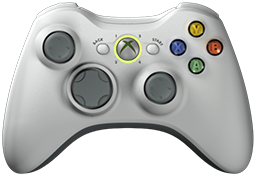 x360ce v4.18.63.0 is released. Xbox 360 Controller Emulator (a wrapper library that translates the xinput calls to directinput calls) which allows your controller (GamePad, Joystick, Wheel, ...) to function like an Xbox 360 controller on a Windows PC. For example it allows you to play Grand Theft Auto (GTA) game with Logitech wheel.
x360ce Changelog:
v4.18.63.0 (2026-08-28)
Added: Lists dim the rows of controllers that are switched off or unplugged.
Added: Controller tabs explain what their light means.
Added: Issues tab reports a virtual controller Windows did not finish building.
Added: Issues tab says when a restart is needed to finish removing controllers.
Added: Buttons that ask for Administrator show the shield before they are pressed.
Fixed: Controller tab showed a green light when no virtual controller existed.
Fixed: Chart stopped updating on the Triggers and Thumb pages for a row using a formula.
Fixed: Chart line ignored the formula and drew the dead zone settings instead.
Fixed: Controllers this program created were listed as left behind by earlier runs.
Fixed: Removing leftover controllers was refused because the program still held them.
Fixed: Removing leftover controllers reported failures for ones that were not plugged in.
Fixed: One controller that could not be created stopped the other three being tried.
Fixed: A controller plugged in while running was not noticed until the program restarted.
Fixed: A controller just plugged in showed blank or wrong details in the lists.
Fixed: Crash report subject did not say which program and version it came from.
Fixed: Opening a window in the Visual Studio designer failed.
Changed: Auto button on a controller page is now named Auto Preset.
Changed: Buttons at the bottom of a controller page size themselves to their labels.
Changed: Help pages come from one document each, so both versions show the same text.
Fixed: Help page put the indent after a bullet or number instead of before it.
Fixed: Add button on a controller page could close the program.
Fixed: Cancelling the add device window added the devices chosen the time before.
Fixed: Copying a preset could close the program while another program held the clipboard.
v4.18.40.0 (2026-08-27)
Fixed: A formula had no effect until the box was left.
Added: The fx button turns green when the formula works and red when it does not.
Fixed: Choosing a mapping from the list could crash the program.
Fixed: Program could crash while closing, after its window had gone.
Fixed: Program crashed instead of saying the virtual bus driver was missing.
Added: A mapping row can hold a formula instead of a single control.
Added: An fx button on each mapping row turns it into a formula.
Added: Formulas can read the clock, in milliseconds since the program started.
Added: Issues tab lists virtual controllers left behind by earlier runs and removes them.
Fixed: Controller picture stayed grey, or moved while nothing was touched.
Fixed: Virtual controllers left behind by earlier runs appeared as real devices and returned after every restart.
Fixed: Removing leftover virtual controllers did nothing unless already running as Administrator.
Fixed: Installing the virtual bus driver added another one each time.
Fixed: Program used a whole processor core while doing nothing.
Fixed: Devices tab buttons and the HID Guardian menu had no icons.
Changed: Mapping rows can be reached by name by a screen reader.
Known: A formula is limited to 16 characters, which is what a mapping is stored in.
Download: x360ce v4.18.63.0
Source: Here
2026-08-29
Tags:
Console,
Official_Build,
x360ce,
XBox


 Posts
Posts



Random Related Topic
0 Comments
Post a Comment
Can't post a comment? Try This!