

 NewsLetter
 Bookmark
 Submit News
 Email Us
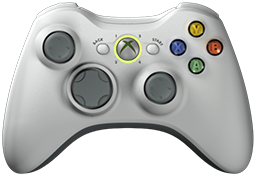 x360ce v4.18.7.0 is released. Xbox 360 Controller Emulator (a wrapper library that translates the xinput calls to directinput calls) which allows your controller (GamePad, Joystick, Wheel, ...) to function like an Xbox 360 controller on a Windows PC. For example it allows you to play Grand Theft Auto (GTA) game with Logitech wheel.
x360ce Changelog:
v4.18.7.0 (2026-08-26)
Fixed: Crash while refreshing devices when the device list changed at the same time. Reading a device list on the refresh thread now takes a snapshot instead of walking the live collection.
v4.18.6.0 (2026-08-25)
Fixed: Crash when a controller was unplugged and plugged back in. The hidden window that receives device messages was written to from the wrong thread.
Fixed: Interface stopped refreshing for the rest of the session if a redraw failed.
Changed: Device detection lists attached devices only, instead of every device ever installed. Devices that are unplugged still keep their settings and show as offline.
Changed: Interface redraws up to 10 times per second instead of 20. A redraw that runs long skips frames rather than delaying controller input.
v4.17.51.0 (2026-08-25)
Fixed: Program stopped responding after pressing Add Demo Device on the Devices tab. A list change made on the interface thread was queued back onto that same thread and then waited for.
Fixed: Crash when opening a controller tab while one of its mappings pointed at a device that is no longer present.
Fixed: Trigger dead zone and anti-dead zone ran to the thumb range instead of 0-255. Any setting above 255 flattened the trigger curve or pushed it off the chart.
Fixed: Mapping curve on an inverted axis was drawn rising while its values fell, so the marker sat away from the line.
Fixed: Mapping curve broke into gaps wherever a dead zone made it jump. It is now stroked as one connected line.
Changed: Axis charts show a single black marker for the mapped value, and each guide line matches the colour of the value it reports.
v4.17.50.0 (2026-08-22)
Changed: About screen credits Nefarius by name.
Fixed: Dead link to vigem.org on the About and Options pages. Project links now point at the author on GitHub.
Added: HID Hide tab. Shows whether the driver is installed, links to its download page, and opens its configuration program.
Changed: HID Guardian tab marked obsolete. It was discontinued by its author in 2023; uninstall stays available and users are pointed to HID Hide.
Changed: Controller picture drawn with Windows Forms; last WPF use removed. Memory drops from 198 MB to 85 MB.
Fixed: D-pad and thumbstick markers overlapped each other on the controller picture.
Fixed: Trigger markers blinked instead of sliding. They now rest below the trigger and rise as it is pressed.
Changed: Navigation glyphs are now bitmaps at full artwork resolution, kept only while being scaled. Saves about 7 MB.
Changed: Error report window rebuilt in Windows Forms. It no longer clips its buttons and fills the window.
Fixed: Changes and License text on the About screen ran together as one paragraph.
Fixed: Tray icon registered without a name, so it could not be identified in Windows taskbar settings.
Removed: Macros tab. Never finished and hidden at start-up.
Removed: XInput tab. Never finished and hidden at start-up.
Removed: Interface files left unused by the rewrites above.
Added: Debug panel button to show all controller glyphs at once.
v4.17.49.0 (2026-08-22)
Fixed: Crash while refreshing the mapped device list. Most reported crash in support mail.
Fixed: Crash when the active window closed while its process was being identified.
Fixed: Process handle leaked for every running process each time the active window changed.
Changed: Normal DirectInput device conditions are no longer reported as faults.
v4.17.46.0 (2026-08-22)
Fixed: Virtual gamepad bus client opened and closed a driver handle hundreds of times per second (PR #1604, ykondury).
Fixed: Controller update thread stopped on the first unhandled error, silently ending device polling (PR #1604, ykondury).
Fixed: Failed state send to a virtual controller now replugs it instead of ending the update thread (PR #1604, ykondury).
Fixed: Failed virtual controller connect left placeholder controllers plugged in (PR #1604, ykondury).
Fixed: Failed virtual controller disconnect was reported as success (PR #1604, ykondury).
Fixed: Virtual controller slot outside 1-4 threw instead of returning a result (PR #1604, ykondury).
Fixed: Closing waited forever if the controller thread was blocked in a driver call (PR #1604, ykondury).
Fixed: Application hung while writing an error report when no control had focus (PR #1596, mNandhu).
Fixed: Error report failed to build when the exception carried extra data (PR #1605, Rislantrs).
Fixed: Guide button was not passed to the virtual controller (PR #1473, OmarIskandarani-KSO).
Fixed: Visual C++ runtime is detected by registry version instead of program name (PR #1576, Glitchtest51).
Changed: Removing the virtual gamepad bus checks how it was installed, confirms, and verifies the result.
Changed: Removing HID Guardian clears the HID class filter first and verifies it before removing the driver.
Added: HID Guardian install button in development builds only, so removal can be tested.
v4.17.33.0 (2026-08-22)
Fixed: Crash on Windows 8 and newer when Microsoft's XInput library was used (only xinput1_3.dll was looked for; now the newest installed xinput1_?.dll is used).
Fixed: Issues panel updated grid and status controls from a background thread.
Fixed: Crash when opening the error report window before any error was logged (missing Logs folder).
Fixed: Crash when a ZIP archive was closed twice.
Fixed: Download retry timer restarted its countdown when the retry interval changed.
Fixed: Remote controller server keep-alive timer restarted its countdown when the interval changed.
Fixed: Image resize by width or height lost the aspect ratio (integer division produced zero).
Fixed: Serialization of key/value and link items failed when a change handler was attached.
v4.17.25.0 (2026-08-22)
Fixed: Virtual test controller POV sweep crash (wrong variable in range check).
Fixed: Web service GetVendors failed at runtime (entity projection inside LINQ-to-Entities query).
Fixed: Web sign-up generated predictable passwords; now cryptographically random, 12-32 characters.
v4.17.22.0 (2026-08-22)
Fixed: Crash when selecting unavailable game.
Fixed: Crash when loading user device capabilities.
Fixed: Thread-safety of device online/offline state changes.
Fixed: Guide button sends correct virtual key code; action configurable.
Fixed: Guide button key names parse case-insensitively.
Fixed: Visual C++ 2015-2022 runtime detection on Windows 11.
Fixed: High-DPI rendering - whole UI scales with monitor zoom; also fixes intermittent empty window title.
Fixed: Architecture-specific embedded DLL resolution (32/64-bit XInput and DInput files).
Changed: HID Guardian install disabled for safety; only uninstall is available.
Download: x360ce v4.18.7.0
Source: Here
2026-08-26
Tags:
Console,
Official_Build,
x360ce,
XBox


 Posts
Posts



Random Related Topic
0 Comments
Post a Comment
Can't post a comment? Try This!