

 NewsLetter
 Bookmark
 Submit News
 Email Us
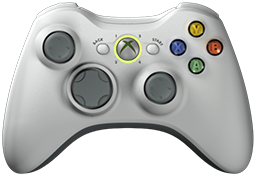 x360ce v4.26.38.0 is released. Xbox 360 Controller Emulator (a wrapper library that translates the xinput calls to directinput calls) which allows your controller (GamePad, Joystick, Wheel, ...) to function like an Xbox 360 controller on a Windows PC. For example it allows you to play Grand Theft Auto (GTA) game with Logitech wheel.
x360ce Changelog:
Fixed: The program stopped at start-up on a PC that allows only FIPS-compliant algorithms (Issue #1648, FuriousZombie3).
Fixed: A waiting tab's picture showed the real controller holding its place.
Fixed: A virtual controller noted in the wrong XInput place is found again.
Fixed: A D-Pad direction saved with a minus sign did nothing.
Fixed: Auto Map emptied the controller's device list.
Fixed: Cloud setting uploads went on with Internet features off.
Fixed: Hiding a device without HID Guardian asked for an administrator.
Fixed: The centering spring did nothing while Enable was off.
Fixed: With the centering spring off, the wheel's own centering was lost.
Fixed: The centering spring was too weak to bring the wheel home from the stops.
Fixed: The update's signature and version boxes were ticked again at every start.
Fixed: A controller tab's light ignored unticked devices and the tab's Enable.
Fixed: Adding a device to a controller gave the device already on it the new one's settings (Issue #1334, Kuiriel).
Fixed: A running game was not selected when its folder name used another language's letters.
Fixed: The Direct Input page numbered buttons from 0, while the mapping boxes number them from 1 (Issue #1498, CtrlAltPizza).
Removed: Enable Logging, Enable Console, Debug Mode, Version and Include [Products] on the Options page, which did nothing.
Changed: Settings that do nothing right now are greyed out, with the reason.
Changed: A device on several tabs uses the lowest enabled tab's settings.
Changed: Force feedback leaves a pad's own centering as it is; only wheels and flight sticks get theirs switched on.
Changed: Friction, the least force that turns the wheel, starts at 20 % and Auto measures it; Strength adds the car's steering on top.
Changed: The Car list sets the wheel range too.
Changed: Recording a hotkey switches it on.
Changed: Start with Windows shows the Windows setting, as Task Manager does.
Changed: The Advanced page always shows, with x360ce 3's settings greyed out.
Changed: The demo device is the Test Controller plugin, inside x360ce; Add Plugin Device adds it.
Changed: AI settings are kept in x360ce.AI.xml; switch AI assistant access on again.
Changed: The AI page shows an example first, then a tab for each part.
Added: Plugins that add devices, each one DLL built from one .cs file and loaded from its own folder under Plugins.
Added: The Plugins page on the Options tab lists every plugin and why one did not load.
Added: x360ce.exe /PluginKit writes a folder to start a plugin in; plugins_list and the skill describe each plugin.
Added: A plugin device gets a tab on the controller page for its settings and its own controls; the Test Controller has both.
Added: The OpenAI Tunnel tab lets ChatGPT on the web use x360ce.
Download: x360ce v4.26.38.0
Source: Here
2026-10-18
Tags:
Console,
Official_Build,
x360ce,
XBox


 Posts
Posts



Random Related Topic
0 Comments
Post a Comment
Can't post a comment? Try This!