

 NewsLetter
 Bookmark
 Submit News
 Email Us
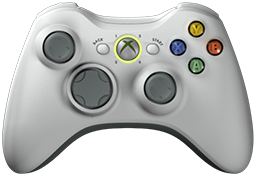 x360ce v4.30.63.0 is released. Xbox 360 Controller Emulator (a wrapper library that translates the xinput calls to directinput calls) which allows your controller (GamePad, Joystick, Wheel, ...) to function like an Xbox 360 controller on a Windows PC. For example it allows you to play Grand Theft Auto (GTA) game with Logitech wheel.
x360ce Changelog:
Fixed: A Raw Input controller hidden by HID Hide is read through DirectInput (Issue #1661, dnlrch10-maker).
Fixed: A new copy with HID Hide set to configure itself adds itself to HID Hide's list (Issue #1633, KhaledElSaiad).
Fixed: The window no longer freezes for good when Windows changes colours (Issue #1633, KhaledElSaiad).
Fixed: The window answers while x360ce starts, rather than freezing for up to 2 seconds (Issue #1633, KhaledElSaiad).
Fixed: Closing x360ce no longer stops the mouse for up to a second (Issue #1633, KhaledElSaiad).
Fixed: x360ce no longer stops with an error at start when the Debug window was left open.
Fixed: Cloud messages are no longer lost with an error report.
Fixed: The wheel chart shows no angle for a wheel it cannot read (Issue #1650, Gron21).
Fixed: A formula on a mouse axis, such as =a3*2, now acts on the value the Mouse page gives the stick.
Fixed: Cloud tasks sent, deleted or retried while a list loads no longer freeze the window.
Fixed: Controllers hidden by HID Hide show in Raw Input at start, without plugging them in again.
Fixed: The Issues tab shows each issue's icon again.
Fixed: /Exit and "Allow only one copy" affect only the copy using the same /Profile folder.
Fixed: Search on Google, Search on NGemu and Open NGemu open pages that work.
Fixed: Texts, lists and pictures are no longer cut off or crowded, at any display scale.
Fixed: Coloured text, links and chart lines are easy to read in both themes.
Fixed: Scroll bars show only when needed, and have no white edge.
Changed: A cleaner, more even look in both themes, sharp at every display scale.
Changed: The windows use Segoe UI, Windows' own font, and names have no trailing colon.
Changed: The four Controller tabs share one page: x360ce starts about 3 seconds sooner and uses a fifth less memory.
Changed: Remap All pauses half a second between controls, so you can follow it (Issue #1633, KhaledElSaiad).
Changed: The Issues tab asks to hide only Xbox controllers with HID Hide, as every game sees them twice.
Changed: Direct Input Devices is now Input Devices, and unplugged devices are listed dimmer.
Changed: The main window reopens at its saved size, and its smallest size shows the whole General tab.
Added: Auto Preset uses a built-in database of popular settings, with force feedback and dead zones.
Added: Most Popular in Load Preset opens at once and works offline.
Added: Update x360ce Database, on Options > Internet.
Added: Polling Rate offers 4000 Hz, and each rate shows its interval.
Added: The Mouse page's Wheel style returns the stick to the centre when its button is let go.
Added: The Mouse page shows a small demo of how the chosen style moves the stick.
Added: Run Checks on the Issues page turns the checks off and on.
Added: The Issues tab says when games cannot see a controller until it is plugged in again, and can restart it.
Added: Copy issues from the Issues tab with Ctrl+C or the right-click menu.
Added: Bug report recordings say what a window that stops answering waits for, and how busy the PC is.
Added: AI assistants can use menus a button opens, such as Add Plugin Device's.
Download: x360ce v4.30.63.0
Source: Here
2026-11-16
Tags:
Console,
Official_Build,
x360ce,
XBox


 Posts



Random Related Topic
0 Comments
Post a Comment
Can't post a comment? Try This!